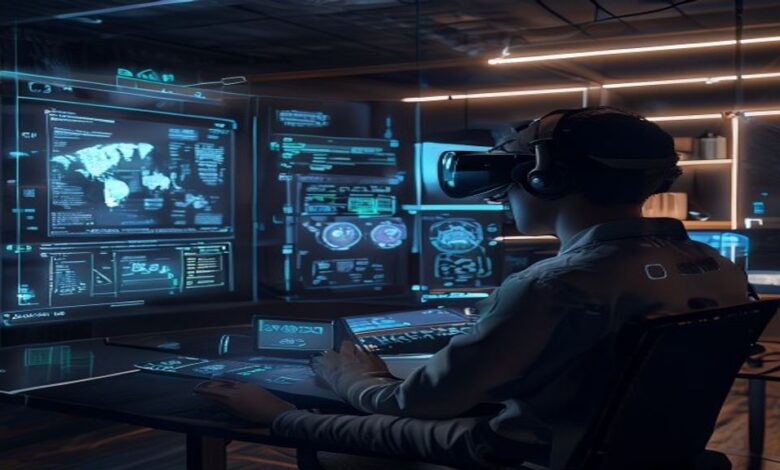
Augmented Reality (AR) and Virtual Reality (VR) are moving from demos to everyday products—training platforms, retail experiences, industrial maintenance tools, and immersive entertainment. But getting from cool concept to reliable, scalable, safe, and engaging experiences is anything but effortless.
In this article, we’ll break down the most common challenges teams face when building or deploying AR/VR solutions—and the practical solutions that help. Whether you’re a product leader, developer, UX designer, or IT decision-maker, you’ll find actionable guidance on how to reduce risk, improve user comfort, and deliver better performance.
1) Motion Sickness and User Comfort
One of the most widely reported issues in VR is motion sickness, nausea, headaches, and eye strain. AR can also cause discomfort, especially when overlays feel unstable or misaligned. Discomfort isn’t just a usability problem—it’s a churn driver.
Why it happens
- Latency: delays between head movement and rendered motion can break the user’s sense of presence.
- Frame rate drops: lower refresh rates increase perceived lag.
- Inconsistent tracking: jitter or drift makes the virtual world feel unstable.
- Teleport vs. smooth locomotion: smooth movement can trigger nausea for some users.
Solutions that work
- Prioritize low latency: optimize rendering pipelines, reduce CPU/GPU load, and use platform-specific performance guidelines.
- Maintain stable frame rates: target consistent refresh rates; reduce high-cost effects when needed.
- Use comfort-first movement: favor teleportation, snap-turning, and vignetting for locomotion-heavy experiences.
- Improve tracking reliability: combine sensors effectively (IMU + optical tracking where available) and design fallbacks when tracking quality drops.
- Provide user controls: adjustable movement speeds, seated/standing modes, and clear comfort settings.
2) Tracking Drift, Occlusion, and Spatial Alignment Issues
For AR (and for VR in room-scale scenarios), tracking is the foundation. If virtual objects don’t stay anchored to the real world, users lose trust instantly.
Common failure modes
- Tracking drift: position errors accumulate over time.
- Poor feature detection: low light, motion blur, reflective surfaces, or repetitive textures reduce tracking quality.
- Occlusion problems: virtual objects appear over real objects when they should be hidden (e.g., a tool hiding behind a table).
- Scale mismatches: objects feel too big/small or don’t align with real measurements.
Solutions that work
- Use robust spatial mapping: ensure your app uses the device’s spatial mesh and planes correctly.
- Design for relocalization: add graceful recovery when tracking quality degrades (e.g., re-anchor or prompt the user to remap).
- Employ occlusion techniques: use depth information or environment understanding to render correct layering.
- Implement calibration flows: allow users to confirm scale and alignment during setup.
- Constrain interaction zones: limit interactions to stable areas (e.g., identified planes) to reduce drift impact.
3) Limited Hardware Performance and Battery Constraints
AR/VR workloads are computationally heavy. High-quality rendering, physics, spatial understanding, and networking can overwhelm consumer devices—leading to lag, reduced fidelity, or rapid battery drain.
What teams typically struggle with
- GPU bottlenecks: complex shaders, too many draw calls, or unoptimized assets.
- CPU overhead: physics simulation, scanning, or expensive game logic.
- Memory constraints: large textures and models cause stutters.
- Thermal throttling: performance degrades over time.
Solutions that work
- Optimize assets: use level of detail (LOD), mesh simplification, and texture compression.
- Reduce real-time costs: bake lighting where possible, streamline particle systems, and cap dynamic objects.
- Use performance budgets: define targets (e.g., frame time ceilings) and test against them early.
- Control rendering complexity: implement foveated rendering (where supported) and dynamic quality scaling.
- Minimize background work: schedule scanning or mapping tasks intelligently and avoid unnecessary polling.
- Profile on real devices: emulator results often mislead—always validate on target hardware.
4) Digital Content Quality vs. Usability
A common tension: teams want photorealism and rich interactivity, but users need clarity, readability, and responsiveness. Overly dense visuals can overwhelm—especially in AR where the real world is already complex.
Symptoms
- Small text becomes unreadable at typical viewing distances.
- Objects clutter the environment and obstruct important real-world cues.
- Visual effects reduce performance without adding user value.
- Interactions are hard to discover or require precision that users don’t have.
Solutions that work
- Design for legibility: use high-contrast UI, readable font sizes, and consistent anchoring.
- Apply information hierarchy: show only what matters at each step; reveal advanced details on demand.
- Use progressive disclosure: guide users with contextual prompts rather than static dense overlays.
- Respect real-world attention: in AR, keep overlays minimal and place them where they don’t block critical views.
- Validate with real users: run usability tests that measure task success, time-to-complete, and error rate.
5) Designing Natural Interactions (Hand Tracking, Controllers, and Gestures)
Interaction design is harder in AR/VR than traditional UI because users can’t rely on a mouse/keyboard paradigm. Whether you use controllers, hand tracking, eye gaze, or a combination, interaction must feel intuitive and consistent.
Common challenges
- Gesture ambiguity: users perform similar motions differently.
- Precision constraints: small UI targets or thin objects are hard to select reliably.
- Input fatigue: repeated gestures tire users quickly.
- Feedback mismatch: users don’t understand whether an action registered.
Solutions that work
- Use larger hit targets: design for motor variability; include forgiving interaction zones.
- Provide immediate feedback: haptics, audio cues, and visual highlights confirm selection.
- Prefer multi-modal redundancy: allow alternative input paths (e.g., gesture + controller button).
- Train users with micro-tutorials: short onboarding steps inside the experience outperform long external instructions.
- Reduce continuous gestures: move from “hold to interact” to “tap/click to lock” when possible.
6) Privacy, Safety, and Trust Concerns
AR/VR devices can capture sensitive information: room layouts, spatial maps, user movements, microphone input, and sometimes biometric-like signals. Enterprises and consumers increasingly expect transparent data handling.
Key concerns
- Capturing real-world environments creates privacy risks.
- Recording voice and audio can violate user expectations.
- Spatial data sensitivity: environment maps could reveal locations or assets.
- Safety in physical spaces: users may collide with objects or other people.
Solutions that work
- Adopt privacy-by-design: minimize data collection; store locally when feasible.
- Use clear consent prompts: explain what’s captured, why, and how long it’s retained.
- Provide boundary and safety systems: implement guardian/bounds, collision warnings, and safe interaction distances.
- Redact or restrict environment mapping: if possible, limit mapping detail or transform data before sharing.
- Harden security: encrypt data in transit and at rest; use strong authentication for cloud features.
7) Network Latency and Real-Time Synchronization
Multi-user AR/VR experiences—collaboration, shared training, virtual events—often fail when network latency causes desynchronization. Even small delays can lead to confusing interactions and reduced presence.
What goes wrong
- Delayed state updates: avatars move inconsistently between users.
- Jitter: uneven packet timing makes movement feel “stuttery.”
- Prediction errors: client-side prediction diverges from server truth.
- Bandwidth constraints: high-frequency telemetry or video streams overwhelm networks.
Solutions that work
- Use client-side prediction carefully: pair with reconciliation logic to correct drift.
- Optimize what you sync: transmit essential state only; use interpolation for smooth rendering.
- Compress and batch updates: reduce payload sizes and update rates where possible.
- Choose appropriate architectures: consider authoritative servers for critical interactions.
- Design for partial connectivity: degrade gracefully when network quality drops.
8) Accessibility Gaps and Inclusive Design
AR/VR can be empowering for learning and experience—but can also exclude people with disabilities if not designed inclusively. The immersive nature of VR may affect users differently due to mobility limitations, vision differences, or cognitive considerations.
Common accessibility challenges
- Limited support for screen readers or non-visual navigation.
- Uncomfortable visuals for users sensitive to motion or flicker.
- Difficulty using controllers for people with limited hand mobility.
- Small text and poor contrast affect readability.
Solutions that work
- Implement comfort and motion settings: reduce motion intensity, allow teleport-only modes, and adjust vignette strength.
- Support alternative input methods: controller, gaze, and simplified interactions.
- Design readable UI: large fonts, high contrast, and stable anchoring.
- Provide subtitles and captions: especially for training and guided experiences.
- Follow accessibility standards: incorporate WCAG-inspired principles where applicable and test with diverse users.
9) Content Creation at Scale (Assets, Localization, and Updates)
Even if your MVP works, scaling AR/VR content is a different challenge. Asset pipelines, localization, and frequent updates can become a bottleneck—especially when you need consistent experiences across devices.
Scalability pain points
- High cost to produce 3D assets and environments.
- Inconsistent performance across device generations.
- Localization challenges for spatial UI and in-world text.
- Difficulty maintaining versions and ensuring compatibility.
Solutions that work
- Build a scalable asset pipeline: standardize models, materials, and naming conventions.
- Use modular content architecture: swap components without rewriting the entire experience.
- Create device-specific performance tiers: define “high,” “medium,” and “low” fidelity targets.
- Plan localization early: design UI layouts that handle different text lengths and writing systems.
- Use analytics and feature flags: track performance and roll out updates safely.
10) Testing, QA, and Evaluation Metrics
Traditional QA approaches don’t fully cover AR/VR. You can’t only rely on automated tests or standard UI checks. Immersive experiences require spatial, performance, comfort, and human-factor evaluation.
What makes AR/VR testing unique
- Device variability: tracking quality and performance vary across hardware.
- Environmental variability: lighting and room layout impact AR tracking.
- User diversity: experience varies by height, mobility, and familiarity.
- Comfort metrics: nausea and discomfort often appear after time, not immediately.
Solutions that work
- Test in multiple real environments: vary lighting, textures, and object occlusion scenarios.
- Measure key metrics: task completion, error rates, dwell time, performance frame time, and comfort feedback.
- Run structured user studies: include post-session discomfort questionnaires when appropriate.
- Automate what you can: use automated checks for build stability, asset validation, and performance regressions.
- Establish regression thresholds: define what performance drop or tracking issues are unacceptable.
11) Adoption Barriers: Training, Onboarding, and Real-World Readiness
Even great AR/VR can underperform if users can’t easily start using it. Adoption depends on onboarding quality, reliability, and clear value.
Common adoption issues
- Users don’t understand how to interact quickly.
- Setup is too complex or time-consuming.
- Experiences fail in real-world conditions (lighting, cluttered spaces).
- IT and operational teams struggle with device management.
Solutions that work
- Design onboarding inside the experience: short guided steps reduce confusion.
- Reduce setup friction: automate pairing, provide “ready” checks, and streamline calibration.
- Provide clear troubleshooting flows: quick tips for tracking issues, battery states, and network problems.
- Plan for device lifecycle management: software updates, inventory, and remote support in enterprise contexts.
12) Cost, ROI, and Long-Term Maintenance
AR/VR can require specialized expertise and ongoing content maintenance. Organizations often struggle to justify investment if measurement and governance are weak.
Where cost overruns happen
- Underestimating iteration time for comfort and interaction tuning.
- Ignoring device compatibility and performance tuning costs.
- Lack of clear success metrics (what does “better” mean?).
- Overbuilding beyond what users need.
Solutions that work
- Define ROI metrics upfront: training time reduction, error reduction, sales conversion, or operational throughput.
- Start with targeted use cases: choose scenarios where immersion provides measurable advantage.
- Use phased rollouts: pilot with a small group, then scale after addressing top issues.
- Plan maintenance from day one: performance monitoring, content updates, and device compatibility checks.
Putting It All Together: A Practical Checklist for AR/VR Success
If you’re preparing to build or deploy AR/VR, use this checklist to anticipate common challenges and reduce late-stage surprises:
- Comfort first: test nausea risk, latency, and movement styles early.
- Tracking resilience: design for drift, relocalization, and occlusion.
- Performance budgets: profile on real devices; optimize assets and rendering.
- Interaction clarity: large targets, clear feedback, and consistent input methods.
- Privacy and safety: transparent data practices and strong physical boundary support.
- Accessibility: readable UI, comfort settings, and alternative controls.
- Scalable content pipeline: modular assets, localization planning, and update strategy.
- Realistic testing: environmental variability and structured user studies.
- Adoption planning: in-experience onboarding and operational readiness.
- Measure outcomes: track ROI metrics and iterate based on data.
Conclusion
AR/VR promises immersive engagement, but success depends on tackling real-world challenges: comfort, tracking, performance, privacy, accessibility, and scalability. The good news is that most of these obstacles have proven solutions—when teams plan early, test rigorously, and design with users (and their environments) in mind.
If you’re building AR/VR for training, retail, collaboration, or entertainment, start by identifying which challenges are most likely in your use case. Then implement the relevant solutions from this guide, and iterate until the experience is not only impressive—but reliable, safe, and genuinely valuable.
Want a next step? Consider running a targeted pilot in a real environment, collecting comfort and performance metrics, and updating your interaction and tracking strategy based on user feedback. That approach turns AR/VR from a risky bet into a measurable product advantage.

